Scan QR codes with your phone's camera to play.
It's a fun way to implement a team-building game, city scavenger hunt, employee onboarding, and much more.
QR Code scavenger hunts are fantastic because you only need your phone’s camera to play. No QR code scanner app!
Get Started
Scan the QR code at the first clue to join the game and earn your first points. If players work together as a team, one player will register the team, and they can play together.
Play
Continue scanning QR codes to complete the challenges and earn points. In treasure hunt mode, players read the next clue or riddle to know where to go.
Wrap up Party
Finish big and celebrate the fun activity with a wrap-up party! Load the photo galleries from the day on your monitors. Reveal the final leaderboard to declare a game-winner!
6 Creative Ways to Upgrade Your QR Code Scavenger Hunt
Add a raffle wheel: Everyone loves to see their name on the wheel. Push the players’ names to the raffle wheel with a single button click. Spin the wheel to pick the prize winners.
Use a theme template: SocialPoint has 15+ branded scavenger hunt theme templates that you can use to give your game a little pizazz. Examples include Spy, Racing, Tech, Western, Adventure, City, and Summer.
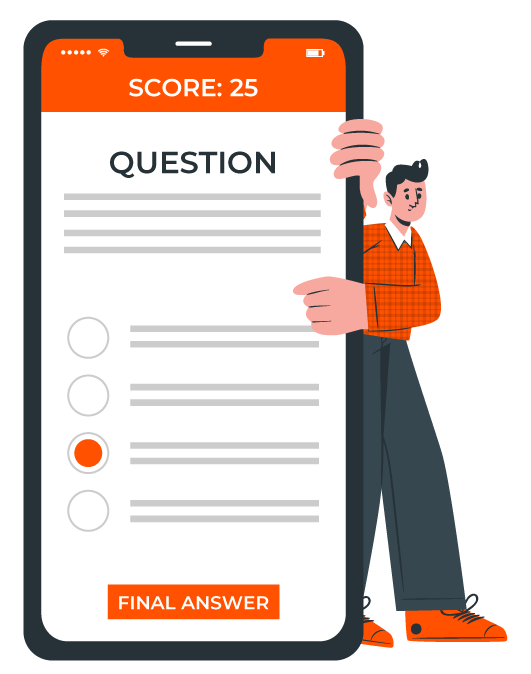
Add a trivia quiz: Add a trivia quiz to your game where players earn more points for correct answers.
Add more challenge types: Boost engagement, learning retention, and create cool, real-time content for your event’s big screens with our new challenges like This or That, Crowd Choice, Brainstorm, Highlights, and more.
Include picture challenges: Players post photos of their team completing tasks, like The Beatles Abbey Road. Or, they can post copies of their social media posts.
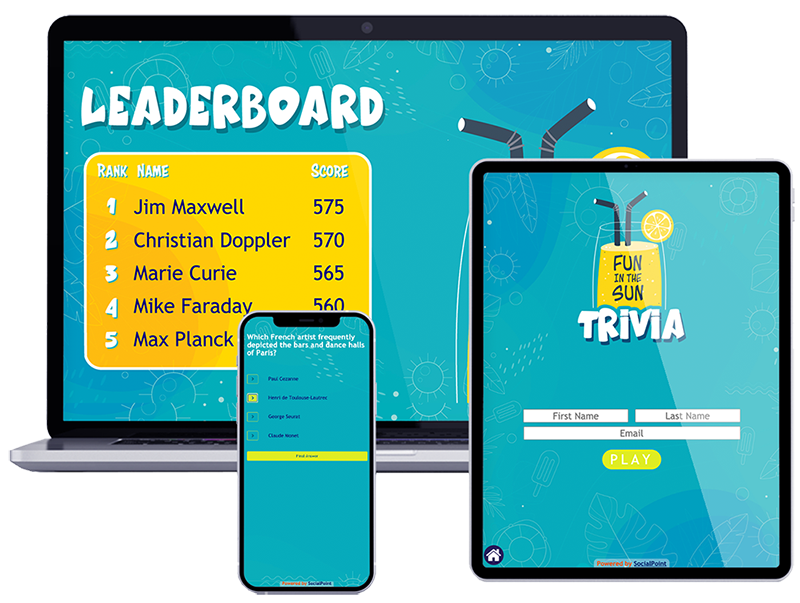
Leaderboards: Add leaderboards to your game to create another layer of competition for the scavenger hunt.
Easily create your own QR code scavenger hunt game with SocialPoint
01
Create a list of objects or locations
Fill out the Google Doc worksheet with your list of objects or locations. Provide clues if you are doing a treasure hunt-style game.
02
Setup your scavenger hunt game
Upload your challenges (list of objects) into SocialPoint, choose a game theme (or make your own), and add your reward system. SocialPoint will automatically create QR codes that you can download.
03
Launch the game
Add your QR codes to branded sheets or signage. Then provide players instructions and start your game.
See 8 of Our Most Powerful New Challenges in Action
Boost Attendee Engagement, Knowledge Retention & Team Building, plus Display User-Generated Moments on the Big Screen
These 8 new challenges help event marketers provide:
SUSTAINED engagement, team building, and knowledge retention during a multi-day or even multi-month event
INSTANT engagement, collaboration, and knowledge retention in Town Hall and leadership-style meetings.
Plus, show organizers can now easily add Best Booth, Exhibitor, or New Product voting to a SocialPoint Trade Show Passport game.
Benefits of a SocialPoint QR Code Scavenger Hunt
Easy setup. Our free QR code generator allows you to upload your list of challenges via Excel and download the QR codes for your game in a few clicks.
Include fun activities: Do more than find a list of objects. Check in at a location, post images, play This or That, Memory, or a trivia quiz, caption photos, or take a survey.
Simplify treasure hunts: Automatically add clues and riddles to your treasure hunt or amazing race-style game to help players find the next check-in location (or the final debrief location).
Wrap up your game in style: Use the SocialPoint raffle wheel to pick game winners. Add the qualified players to the wheel and spin-to-win.
Quickly get ready for the wrap-up party: Compared to other vendors who make you download your photos, Socialpoint has branded photo galleries and leaderboards built into the system. So you can be ready in minutes. Add our Highlights challenge so attendees can share their favorite moments.
Reporting and Analytics
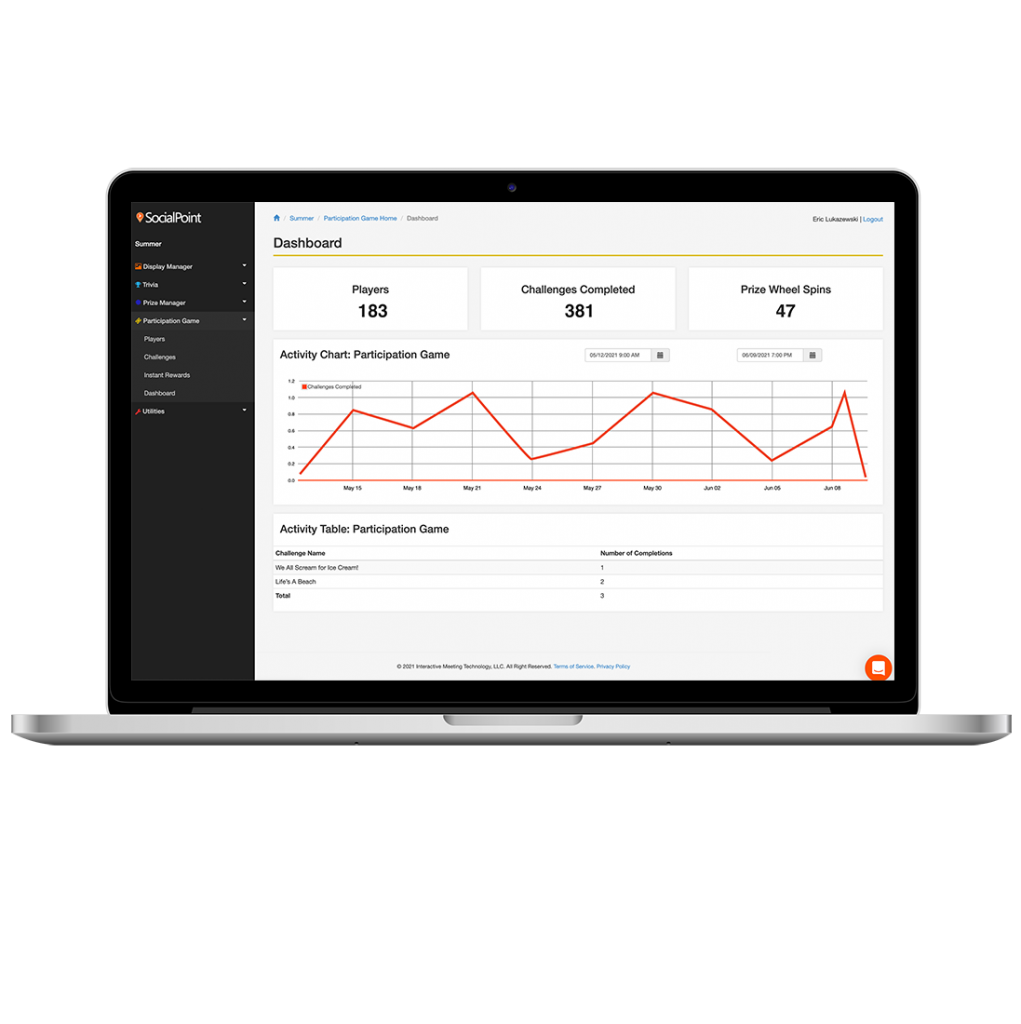
Real-time data: Points and rewards are captured in real time. Follow along with player progress on the dashboard and leaderboard.
Post-game follow-up list of all players and teams who scanned a QR code, for better sponsor follow-up after the game.
Discover which QR codes are most popular with reports that show check-in counts by QR code, and also attendee answers to available challenges such as polls, surveys, trivia games, and word clouds.
Themed to your Brand & Event
Your graphics team will love the way they can integrate your graphics and art assets into SocialPoint. More than a logo and colors, SocialPoint allows you to design the following:
Background graphics
Trivia game graphics
Raffle wheel graphics
Leaderboard graphics
Instant reward graphics
“Everything ran very smoothly and the participation far exceeded expectations. Very happy with the game and outcome.”
Join the corporations and marketing agencies using SocialPoint
How does it work?
Once you signup for SocialPoint, you will be assigned a Customer Success Project Manager. This person will help you set up and bring your game vision to life.
01
Kickoff
We work with you to establish a project timeline and review our Success Checklist to ensure a successful event.
02
Setup your Game
You create the graphics and content. We will configure your scavenger hunt app and load all the data.
03
Dry Run
We’ll help you get ready for the dry run and practice game. Then, you can make any additions and adjustments to the game.
04
Go Live!
We’ll help launch your game. Then, we can sit back and watch your players have fun!
Get started on your QR Code Scavenger Hunt Package
You want to create a fun team building experience that your team will remember. We are here to help you with easy-to-use software and support from our customer success team. The QR Code Scavenger hunt is part of the APG (Attendee Participation Game) solution.
Here are the key features of our QR Code Scavenger Hunt package:
Use of SocialPoint Attendee Participation Game software and access to our team for 3 months or 12 months.
Your Customer Success Team member will run a kick-off call, brainstorm meeting, Dry run meeting and Launch meeting with you.
Your Customer Success Team member will configure the software and load your initial game content (graphics, challenges and prizes).
Easily upload your Challenges via Excel (scavenger hunt locations) and download a sheet of QR codes.
You will have access to the back end to make updates, changes and additions as required.
Get additional support through online guides and live chat.
Get the APG Plan you need to best fit your number of scavenger hunt or passport game players and the complexity of your event game.
Frequently Asked Questions
How will you give me the QR codes?
You will get an Excel file with links to the QR codes. Then, you can easily paste the images on your QR code clue sheets or signage.
How many QR codes can I have?
There is no limit to the number of QR codes. Some people have 11, and others have 60.
My event is next week! How long does it take to get set up?
If you are in a hurry. Let us know when you order. You will need to pay a rush fee of $800. We can have you ready to go by next week.
After you order, our customer success team will contact you to organize a kick-off meeting and your ready-to-launch meeting.
Can we add our logo and use our own branding and colors?
Yes. You can change the color theme to include your own logos, graphics and colors in the game.
I want to use the game for one event.
Depending on the plan that you choose, you will have 3 months or 12 months to setup and run your game. So you can start planning early if you want.
I want to use this game all year long
Purchase a 12 month plan, then you can use this game all year long.
The dashboards and reports will give you feedback on when the game was most popular and which QR codes were scanned the most. If you want, you can download a list of people who scanned the QR codes to give the data to game sponsors.
What kind of support do you offer?
You will have the following support from us:
Online help guides and videos
Live Chat (M-F 9AM – 6pm EST)
Customer Support during the process
Optional: Dedicated remote support during your event.
QR Code Scavenger Hunt Not The Right Game For You? We May Have A Better Fit
We offer a suite of interactive games designed to make your event more fun and engaging
Scavenger Hunt Games
Create fun, branded scavenger hunt games for your team-building events, new employee orientation, guided tours, and campus orientations. Teams earn points by completing challenges, checking into locations, posting photos, or completing trivia questions.
Increase attendee engagement and provide provable value to sponsors. Helps show owners drive traffic to specific places around their conference, especially sponsors’ booths. Players do challenges (such as check-ins, photos, trivia, and staff-scored), collecting points to rank on the leaderboard and spin a raffle wheel for prizes.
Create a Live Trivia game show for training, remote team building, and corporate events. Includes 50+ game themes and 100+ trivia quiz packs to help you get started in minutes. Or, customize your game to match your brand and add your own trivia questions.
An online trivia game platform to quickly create and launch quizzes and trivia games for live or self-paced gameplay. Our variety of trivia game styles gives you the flexibility to create live trivia, survivor-style elimination games, trivia quizzes, and more.