Name Picker & Raffle Wheel Games

Attract and capture more trade show leads, manage drawings & contests
Make a spectacle out of picking winners for your drawings and contests. Name Picker selects multiple winners at once, while the Raffle Wheel randomly picks one name from your list. A great way to gather a crowd - and a downloadable list of leads.

Name Picker

Pick any number of names you want

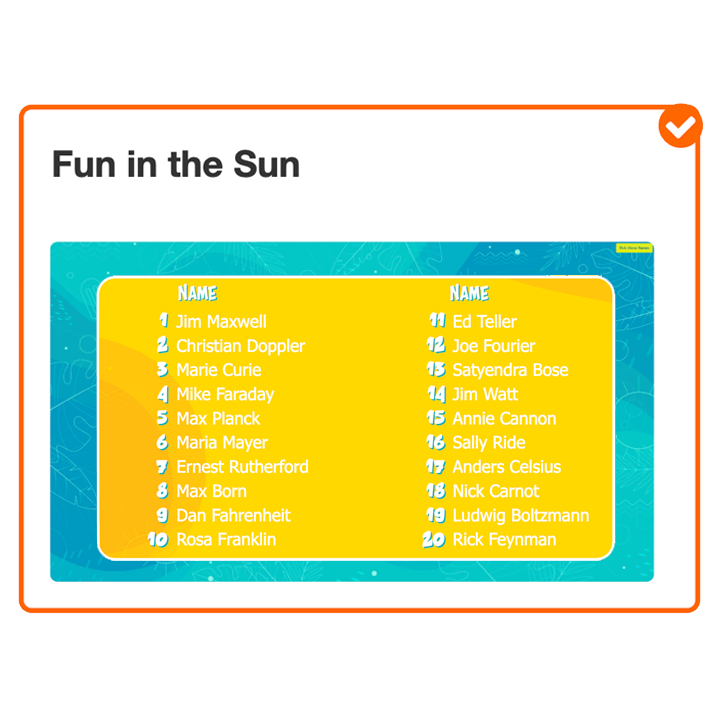
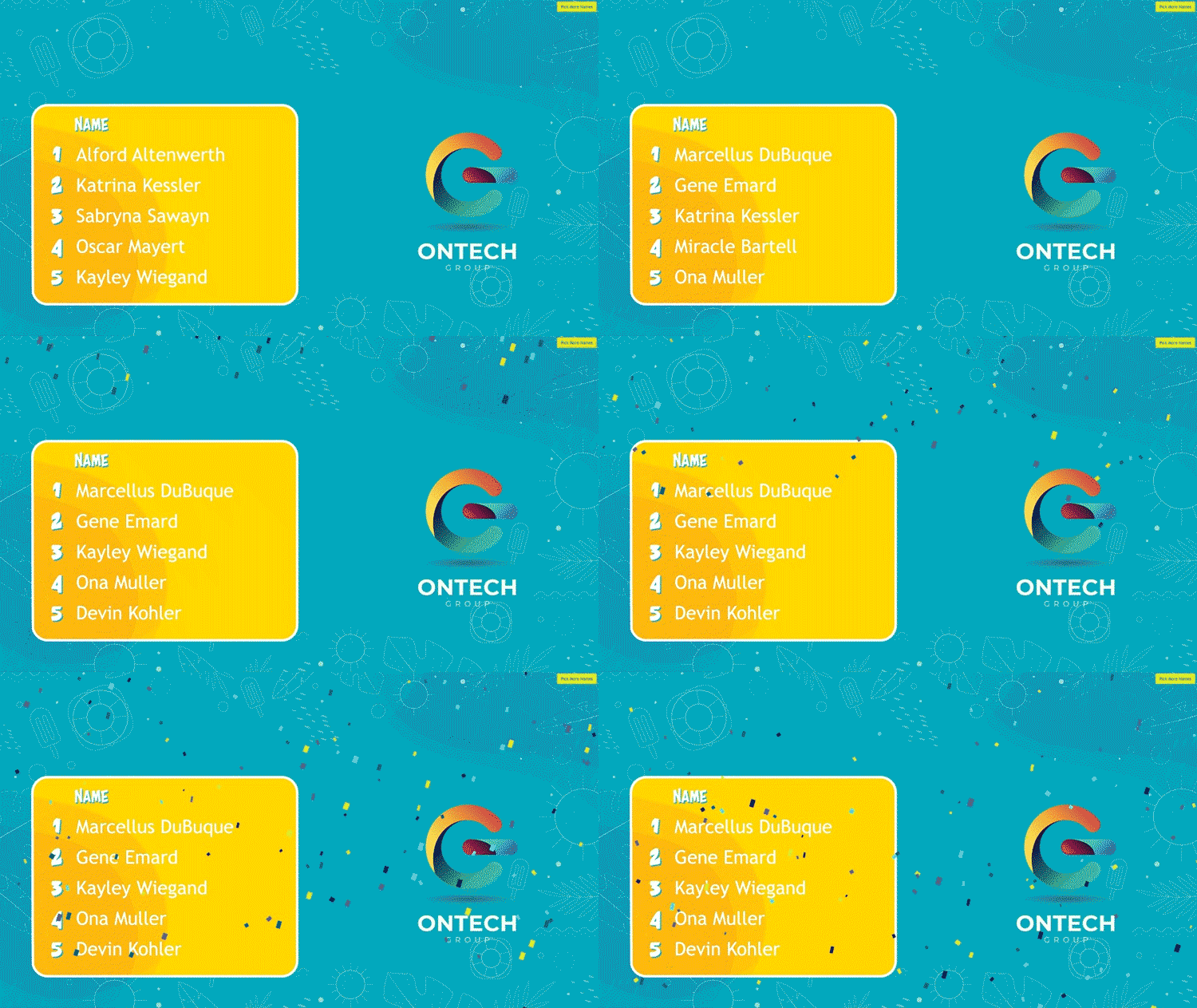
Click the button to start the name picker. See the names pop up on a Leaderboard with a digital flourish. Show as many names as you want to be winners. Run it again and again. Names are saved in the list for analytics on the back end.

Raffle Wheel

Pick one winner at end of an event

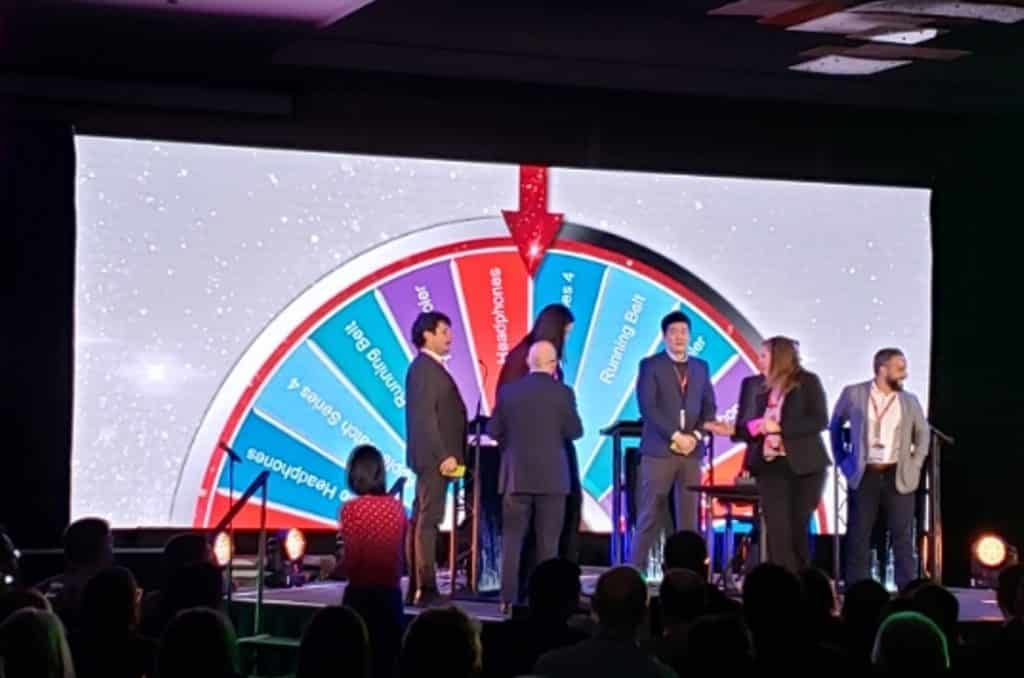
Spin the Raffle Wheel to pick one winner from a list of many. Digital confetti announces the winner! Contestants enter their names to win during an event, or names can be loaded up in batches pre-event. Names will be removed from the wheel once selected.
How Name Picker & Raffle Wheel Games Generate More Trade Show Leads

Get Attendees To Enter Your Contest

Trade show attendees are notoriously skittish about walking into a trade show booth — but will visit your booth for a chance to win a worthwhile prize.

SocialPoint - Never Miss a Lead
Never Miss Leads at Small Shows

Too many local and vendor shows don’t offer badge scanners. Then, sales reps staffing those small shows rarely send you their leads, so you have no way to measure results.

Capture Potential Leads Lost During Busy Times

Hate to lose overflow leads during peak times when you have more booth visitors than staffers? Retain more leads with a Raffle Wheel game.

Generate, Capture, & Qualify Leads

Attendees give you their contact info to play.

For a chance to win your prizes, players provide their contact data and answer lead qualification questions on tablets in your booth. Capture basic contact info, and also add surveys to further qualify leads. Add your logo to the form.

  • Lead Capture Forms
  • Lead Qualification Surveys
  • Terms and Conditions
  • GDPR/CCPA Consent

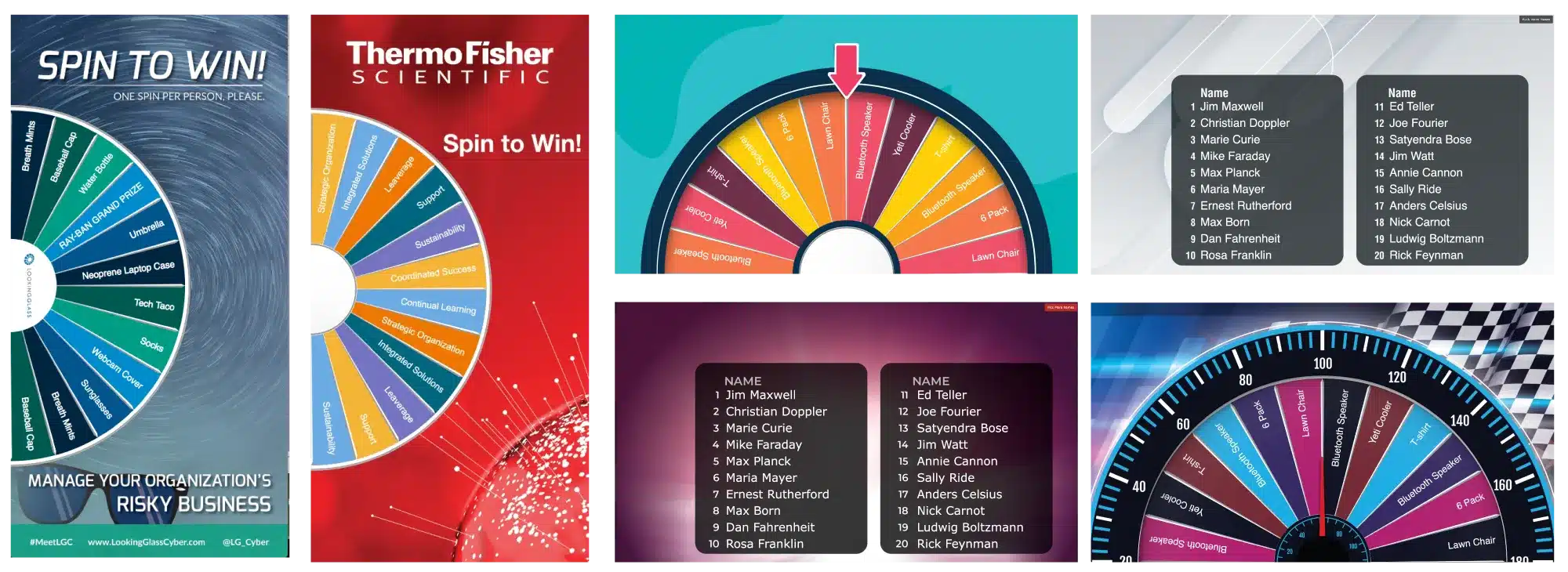
Customize to Match your Brand

Or Choose From One of Our Two Dozen Pre-Made Themes

SocialPoint - Name Picker Raffle Wheel - Customize to Match you Brand

How Does it Work?

Players Join Game

Players either click on a link or scan a QR code with their phones to launch the Name Picker or Prize Wheel app in a mobile web browser. Or start on a self-service kiosk with an iPad or tablet in your booth.

Capture Leads

For a chance to win your big prize, booth visitors provide their contact data and answer lead qualification questions. You can easily download that valuable lead data after the show.
Pick a Winner

Pick your game winner, either multiple winners with Name Picker, or just one with a Raffle Wheel. Winners are selected at random. Winning names are revealed with digital confetti.


Where Can You Use A Name Picker & Raffle Wheel Game?

  • Capture leads & pick a winner for a trade show booth activation.
  • Upload list of names and pick a winner with the Raffle Wheel.
  • Upload names or ticket numbers and pick a group of winners with Name Picker.
  • Collect contest entries and pick one or more prize winners.
  • Complete an online survey and enter a drawing.

6 Ways Our Name Picker & Raffle Wheel Is Better Than a Fishbowl

1Match game visuals to your brand identity, including colors, fonts and logo.

4Qualified leads, not just a contact list, because our game lets you include survey questions.

2Lead data automatically accessible to your headquarters that you can export anywhere.

5More modern image from vibrant digital displays than a cheesy fishbowl.

3No need to type up lead data from business cards, saving you time and fulfilling leads faster.

6Flexibility and control over how data is collected and prize winners are chosen & displayed.

SocialPoint Virtual Trivia Setup

Smart Drawing Options & Capabilities

Our Name Picker & Raffle Wheel gives you great control over how you draw winners for raffles and contests.

  • Record which drawing winners received their prizes already, so you don’t have to worry about giving them the same gift out twice – or forgetting to give a prize to a winner.
  • Names are removed from drawings after they have already been selected, so you don’t get any double winners.
  • Can limit players to one or more entries per game or day.
  • You can draw one winner at a time or simultaneously draw multiple winners at a time.
  • Confetti animation falls to dramatically celebrate drawing entries and winners.
  • Display multiple winners on a leaderboard.
  • Game algorithm randomly selects the winner(s) based on the number of people who have entered the contest, and how many winners you pre-determine to award a prize.

Prove The Value of Your Trade Shows

Reporting and Analytics for Your Trade Show Games

Track your progress in real time with our dashboard reports. Identify opportunities for improvement and celebrate your success.

Download the data into Excel to share with your sales team, for lead follow up, and loading into your CRM.

Easily Reuse Name Picker & Raffle Wheel Games Multiple Times

Save time, money, and effort reusing your best-performing game configurations

  • Reuse a Game With One Click: Build your name picker & raffle wheel game once and deploy it again and again – no redesigning, new QR codes, or rebuilt lead forms required. Your game is instantly ready for the next event with almost zero prep.
  • Run Multiple Games at Once: Host the same game in multiple cities or run tailored variations for different booth sizes, audiences, or show strategies – perfect for regional reps, road shows, or simultaneous events.
  • Reuse Games Even After Renewal: All your past game configurations stay saved, so when you renew you can instantly copy, tweak, and launch any previous setup without starting from scratch.
  • Keep Events Separate Automatically: Every reused game keeps its leads and results organized by event in your data exports – no messy spreadsheets and no accidental data mixing.

The Amazing Value of a 12-Month Plan for Frequent Exhibitors

Our Name Picker & Raffle Wheel, Trivia, and Virtual Prize Wheel games offer frequent users even more value when they buy a SocialPoint 12-month plan

  • Tremendous Value from Reusable Games: Create a polished, branded game once – and reuse it at dozens of shows without extra setup time.
  • Flexibility to Change Games Based on Audience, Booth Size & Show Strategy: Each 12-month plan includes up to 10 active game configurations in any mix of Name Picker + Raffle Wheel, Trivia, and Virtual Prize Wheel. Use Raffle Wheel for small regional or vendor shows where you want to capture leads, and Trivia or Prize Wheel for bigger island/inline booths.
  • Report Across Shows or by Audience Segment: Compare performance across cities, product lines, booth sizes, or audiences, to identify best performing shows.
  • Save up to 71% per month With a 12-Month Plan: 12-month plans dramatically reduce costs compared to buying multiple 2-month plans.
Virtual Trivia for Teams

Name Picker & Raffle Wheel Uses Beyond Trade Show Booths

The name picker & raffle wheel is flexible depending on what you want to do. Here are many of the places you can use them:

  • Internal Employee Engagement / Recognition
  • Live Event Prize Drawings / Raffles
  • Sales Incentives / Team Contests
  • Retail / Public Event Activations
  • Street Marketing Surveys
  • Virtual or Hybrid Events
  • Embedded into your Website
  • Send emails to pre-determined players who click and start playing
On stage Virtual Prize Wheel contest awarding

What Customers are saying about SocialPoint

Who Uses SocialPoint?

Organizations who have used SocialPoint for corporate events & trade show games.

Companies

GE Healthcare, SAP, Expedia, Medtronic, Smith + Nephew, Trend Micro, Eaton, Thomson Reuters, Bank of Montreal, PwC, John Deere, Thermo Fisher Scientific, McKesson, Teleflex, Discover, Hyatt, Andersen Windows, LexisNexis, Reckitt, Cricket Wireless, Microsoft, Optum, Siemens, IMAX, Accor Hotels, AmerisourceBergen, PACCAR

Agencies

3D Exhibits, George P. Johnson, Freeman, Liaisons Meetings & Events, Impact XM, Imprint Events, Fenex Event Management, Sonic Promos, Enterprise Event Group, MetroConnections, TEN Advertising, Red Archer Event Management, Czarnowski, TOBRA Meetings, RCD Events, International Conference Services, Jackson Dawson, CMC Events

Show Organizers & Associations

Informa, American Nurses Association, Leukemia & Lymphoma Society, NAFTZ, AICPA, The Economist, DIA, Utilities Service Alliance, Advertising Specialty Institute, Florida Dental Association

Canadian Association of Occupational Therapists, California Rental Association, NYC Jewelry Week, American Physical Society, Central Utah SHRM

Set up your game in a few clicks

Use the wizard to pick a game type, choose a theme, add content, and start playing in minutes.

Choose Your Game

Choose from our Prize Manager if you want the Raffle Wheel or Name Picker game.

Select a Graphics Theme

Select from a variety of pre-set visual themes for a quick implementation or match game graphics to your brand.

Add Your Content

Add content, such as form fields and any preloaded player names.

Customer Support

Our goal is to have you ready for success by your event. Here’s how we will our Customer Success Team will help:

SocialPoint Scavenger Hunt Customer Support
Planning & Launch Meetings

Schedule time with your dedicated project manager to organize your Kick-off, Brainstorming, and Launch meetings.

Live Chat & Email Support

We provide live chat support between 9 AM and 6 PM EST. Ask your questions and get answers from our team. Or, book a Zoom call.

How-to-Guides

Review our A-to-Z guides, videos and help pages to answer easy questions and get your game ready for your marketing activations.

Name Picker & Raffle Wheel

Part of the Prize Manager Bundle

You want to use Name Picker or Raffle Wheel to create a fun way to give away prizes. We are here to help you with easy-to-use software, pre-packaged themes (themes + questions) and support from our onboarding specialists.

When you order the Raffle Wheel or Name Picker game, you actually get
access to the SocialPoint Prize Manager Bundle, which also includes our
Virtual Prize Wheel. Three game choices in one bundle!

Here are the key features of our Prize Manager Bundle:

  • Use of SocialPoint Prize Manager software platform for two or 12 months.
  • Reset the Name Picker or Raffle Wheel as many times as you want.
  • Number of Spins (before resetting) are limited by your plan.
  • Pick a ready-to-go theme or make your own.
  • Change themes, prizes and prize inventory anytime.
  • Pro Plan: Schedule 15-minute rehearsal with an onboarding specialist.
  • Full Service Plan: Let us build your customized game for you.
Spin-to-Win Virtual Prize Wheel in virtual event

Find a SocialPoint Plan that Works for You

Each SocialPoint plan includes 10 total games, in any combination of Trivia Games and Prize Manager Games (Virtual Prize Wheel, Name Picker, Raffle Wheel).

Choose your plan based on your level of support (self-service or full-service), number of players, and term length.

Frequently Asked Questions

What do I get when I purchase a Name Picker or Raffle Wheel? Do I download an app?

SocialPoint is a cloud-based SaaS platform. There are no apps to download in the app store.

When you choose SocialPoint’s Name Picker or Raffle Wheel games, you get three things:

  1. You get a User Account and log in to our SocialPoint SaaS software platform. You will be able to create your game, add your graphics and logos, launch your game, monitor results, and download data.
  2. You get access to our library of help files and our team for support via live chat or email.
  3. If you purchased extra support – you will get access to a project manager who will help you setup and configure your game(s) for you, help you prepare for your onsite experience, train you on setting up and managing your game on site and be a contact to Text or email if you have any questions.
Do you provide graphic templates?

Yes, we provide a wide variety of themes for our games. Or you can create your own with our easily customized visuals.

Depending on which game you choose, each theme could include the following:

  •  iPad and mobile player app graphics
  • Leaderboard graphics for 5, 10, and 20 player leaderboards.

We have Adobe Illustrator and Canva templates if you would like to create your own graphic theme.

My event is next week! How long does it take to get set up?

SocialPoint can be setup with a few clicks – if you are using our themes and content. If you want to upload your own logos, colors and content, it will take a little longer.

You can also purchase extra support, and we will give you access to a project manager who will help you setup and configure your game(s) for you.

What do I need to set up the Name Picker or Raffle Wheel onsite?

If you are deploying our Name Picker or Raffle Wheel game in your trade show booth (or on the trade show floor) we recommend that you do the following:

  1. You will need a Large Monitor with source laptop, and an active internet connection. Players will most often play with their own phones, but it’s a good practice to also have one or two iPads with iPad stands set up for players who do not want to use their own phones. You will want your iPads to have power.
  2. Set up a large monitor (for the Name Picker leaderboard or the Raffle Wheel game wheel) in your booth near the iPads. For the best results, make sure there is space so the winner(s) can take pictures of themselves and their name(s) on your large monitor. They will Text and share these pictures on social media.
  3. With your own on-site laptop, your staff will have access to the back end and will be able to edit and reset game aspects when needed.

Pro-tip: The game requires an active internet connection but not a lot of bandwidth. Since internet service performance varies from venue to venue, we recommend setting your game up on a different network from the network where attendees are watching cat videos.”

Do you have a full-screen Raffle Wheel? Or only 1/2 screen?

We designed our Raffle Wheel to work as a 1/2 screen option because you can then display unlimited names on your prize wheel.

How do the Name Picker and Raffle Wheel games award prizes?

The algorithm randomly selects the winner(s) based on the number of people who have entered the contest, and how many winners you pre-determine to award a prize.

Say you have 500 people enter a contest for an Apple Watch, then:

For Name Picker:

  • If you give out 5 Apple Watches, the odds of a person winning the watch will be (5/500=) 1%.
  • If you give out 10 Apple Watches, the odds of a person winning the watch will be (10/500=) 2%.
  • If you give out 20 Apple Watches, the odds of a person winning the watch will be (20/500=) 4%.
  • As you give away more prizes, the odds of winning a prize will increase.
  • As more people enter the contest, the odds of winning a prize will decrease.

For Raffle Wheel:

  • If you give out just 1 Apple Watch, the odds of a person winning the watch will be (1/500=) .2%.
  • As more people enter the contest, the odds of winning a prize will decrease.
Can I use the Name Picker or Raffle Wheel across multiple shows?

Yes, you can use your trade show game at as many shows as you want during your subscription term. If you do multiple shows, we recommend the annual plan. It’s a great deal.

Once your game is set up, it’s pretty easy for you to reset the game for another show. You will be able to reset the leads, make edits to the game design, and track game performance across events.

Can I limit players to just one entry?

Yes, you can limit players to just one game entry. Or, you can limit them to one entry per day – to get them back to your booth more times.

Where can I use the Name Picker and Raffle Wheel?
  • Capture leads & pick a winner for a trade show booth activation. 
  • Upload list of names and pick a winner with the raffle wheel.
  • Upload names or ticket numbers and pick a group of winners with Name picker.
  • Collect contest entries and pick one or more prize winners.
  • Complete an online survey and enter a drawing.
What kind of support do you offer?

You will have the following support from us:

  • Online help guides and videos
  • Live Chat (M-F 9AM – 6pm EST)
  • Customer Support during the process (email support, 1-on-1 Zoom calls)
  • Optional: If you purchase a Full Service plan, you will get access to a project manager who will help you setup and configure your game(s) for you, help you prepare for your onsite experience, train you on setting up and managing your game on site and be a contact to Text or email if you have any questions.
Will SocialPoint set up my game for me?

Yes, if you choose ta Full Service plan, a SocialPoint team member will set up your Name Picker or Raffle Wheel for you. Our process includes the following:

  • Kick-off meeting to outline the steps and capture dates.
  • You send us the graphics, prizes, and data that you want to capture.
  • SocialPoint sets up the Name Picker or Prize Wheel and then sends it to you for review.
  • SocialPoint organizes an “Onsite Preparation meeting” to review your launch plan and make sure you are ready.
Does SocialPoint need to send people onsite?

No. We rarely send staff onsite for trade show booths. We designed our trade show games so you can easily set them up and manage them onsite yourself. Your customer success manager will be available via Text, chat, or email to help you if you have questions or issues. Just send him or her a picture of what you are seeing and what you expect. They will help you get it sorted out right away.

Can I embed the game into my virtual platform or website?

Yes.

There are two ways you can do it:

  • iframe SocialPoint into your website or virtual event platform.
  • Use our Auto-Login feature to automatically pass the credentials of a player.
Can I use my own custom branding?

Yes!

You are able to configure the following elements:

  • Leaderboard or Raffle Wheel
  • Contact data entry screen
  • Prize winner screen
  • Player AppYou can personalize the game with your colors, logos and fonts. Or, you can go next level and use our Adobe Illustrator graphic files or our Canva templates for rich branding. If you send our Adobe Illustrator or Canva files to your graphic designer – they will be able to drop in your brand assets and get them looking just right for your game in a few minutes.
What do I need to use my game at an in person event?

There are four things that you need to set up your game:

  1. Google Chrome or Safari (on iPad).
  2. Internet connectivity
  3. Power to keep your equipment charged.
  4. equipment:
    1. Big Wheel on Monitor: Laptop, Monitor, and Big Red Button. You can buy a big red button here.
    2. Prize Wheel with lead forms: You will need iPads and stands. It is best to show the virtual prize wheel in horizontal mode.
    3. Your own on-site laptop, so your staff will have access to the back end and will be able to edit and reset game aspects when needed.
What type of data can I capture?
  • Custom Lead Capture form data
  • Survey data
  • Consent to Terms and Conditions and GDPR
  • Prizes won by players

All data is downloadable in an Excel file.

How do I test my game before the trade show?

Some of our customers are worried that they can’t test their game before their show because their game license doesn’t allow it. Don’t worry – you can start, stop and reset the game as many times as you want during your subscription term. Because our subscription terms are at least one month, you should have plenty of time to setup, test, revise and launch your game.

After you have set up your game inside our software platform, with the visuals, settings, and content the way you want, you can test the game by deploying the link you get to activate the game on your iPads and/or your big screen.

Then use a link or scan the barcode as a player to see how the game performs.

You can then make any changes you want to your game before the trade show.

What if the internet goes down during the trade show?

SocialPoint games require access to the internet to allow players to play the game, and to upload to the cloud any contact data you gather with the games.

However, if the internet goes down, the visuals on your big screen, such as a leaderboard or prize wheel, will not go down. You will still have cool digital content showing while you troubleshoot to fix your internet connection.
Name Picker & Raffle Wheel Games
Can Also Be Part of A Larger Trade Show or Event Game

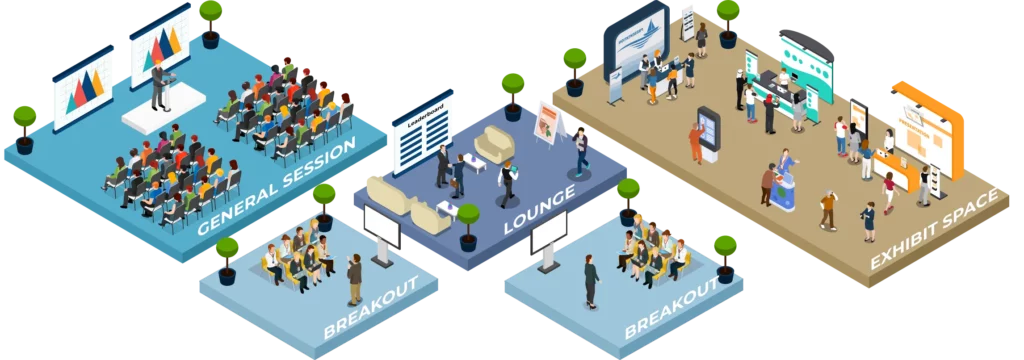
Need to create excitement at various locations throughout a larger event? Use our Name Picker or Raffle Wheel game to pick winners and award prizes as part of a Scavenger Hunt or Passport game that also includes Photo Challenges, Trivia, and more.

Name Picker or Raffle Wheel Not The Right Game For You? We May Have A Better Fit

We offer a suite of interactive games designed to make your event more fun and engaging

Challenge Bar Trivia

Attract and educate a crowd of prospects with trivia questions about your products. Easily customizable to your brand, or use our pre-designed templates. Leaderboard keeps players coming back. QR code scan to play on own phones. Players enter in own contact info!

Virtual Prize Wheel

Attendees actually line up to enter their own contact info to play for your prizes! Use our graphic templates or customize to your brand! Prize manager software keeps track of your prize inventory. After the show, you get easily exported leads.

Exhibitor Booth Passport

Perfect game for exhibitors who want to incentivize trade show attendees to visit multiple partner booths on the show floor, or multiple places in their own exhibit. Includes check-in, photo, trivia, and quiz challenges, plus prize drawing and leaderboards.
Digital Trade Show Passport

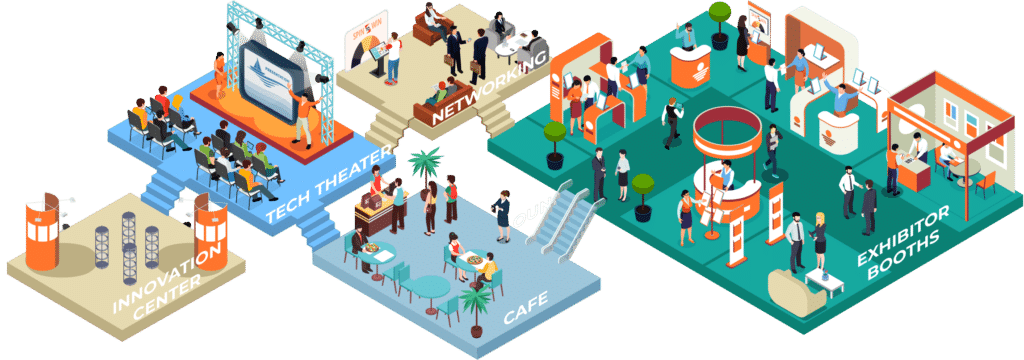
Increase attendee engagement and provide provable value to sponsors. Helps show owners drive traffic to specific places around their conference, especially sponsors’ booths. Players do challenges (such as check-ins, photos, trivia, and staff-scored), collecting points to rank on the leaderboard and spin a raffle wheel for prizes.